










Are you preparing your trip to Maremma and dreading roaming charges or the hunt for a phone shop upon arrival? Using an Italy eSIM 2026 is the simplest solution to stay connected from the moment you land without handling any plastic.
The problem is that your smartphone must be compatible and unlocked to accept this virtual profile. I'll explain how to check your hardware and install your data plan in just a few minutes to browse peacefully in southern Tuscany.
What exactly is an eSIM for Italy?
The Italian eSIM provides an immediate 4G/5G connection as soon as you land via a QR code, without changing a physical card. This virtual chip secures your data and manages several plans on a recent unlocked smartphone, offering flexibility and total peace of mind.
The eSIM (Embedded SIM) is a SIM card embedded directly in the device's hardware, eliminating the need for a physical card.
Tu envisages de parcourir les sentiers sauvages de la Maremme ou de dénicher une trattoria isolée à Scansano sans perdre ton signal GPS ? Alors, activer ton Italy eSIM 2026 is the logical first step to avoid connection hassles. Unlike the embedded SIM card, you no longer handle fragile plastic; everything happens in a software-based and secure way.
Why ditch the physical SIM card?
The eSIM eliminates the chore of looking for a telecom shop at the airport. It's a valuable time-saver for your arrival in Maremma. You stay connected without any stress.
Security is a central advantage here. In case of theft, no one can extract your virtual chip. Your profile stays welded to the device. It's much safer for your personal data.
You can store several mobile profiles at the same time. Switching between your usual plan and the Italian one becomes a breeze. It's the ideal solution for organized travelers on the move.
Check your smartphone's compatibility
Dial *#06# on your keypad: if an EID number appears, your smartphone is eSIM-ready.
Type this code to get your unique EID number. This identifier confirms that your device supports the virtual technology. It's a quick but essential check before any purchase.
Also check that your device is unlocked for any carrier. Look in the system settings under the network tab. A phone that is locked will systematically reject any foreign plan configuration.
Models like the iPhone XS or recent Samsung devices are compatible. If your smartphone is less than three years old, you're probably ready. It's the standard for modern international connectivity.
Choose your data plan for Maremma
Now that you know whether your phone is ready, let's look at the amount of data needed to explore the trails of Tuscany. Activating your eSIM before leaving for Italy: the step-by-step tutorial to avoid struggling at the airport starts with the right diagnosis of your digital needs.
According to travel connectivity experts, opting for regional plans often allows you to achieve substantial savings par rapport aux tarifs d’itinérance classiques. C’est une stratégie maligne pour garder ton budget pour les trattorias of Grosseto.
Data volume: how many GB to aim for?
For a week of GPS and social media, 5 GB is more than enough. You'll be able to post your photos without worry. It's the ideal amount for everyday classic use.
Video streaming consumes a huge amount of data. If you watch movies, aim for 15 or 20 GB instead. Adapt your plan to your actual usage habits on vacation.
Unlimited plans offer complete peace of mind. They are often more expensive but avoid unpleasant surprises. Choose this option if you work remotely or if you share your connection.
Compare local and international offers
Travel-specialized providers often offer very competitive rates. Compare prices carefully before checking out your cart. A few euros saved can buy you a good Italian coffee.
Network coverage in rural areas varies by operator. In Maremma, choose robust networks like TIM or Vodafone. Good reception is vital so you don't get lost in the isolated hills.
Buy your plan online a few days before your departure. You'll receive your access codes by email instantly. It's the simplest method to be at ease from boarding.
Install your eSIM profile before departure
Your plan is chosen, it's time to get practical with the’technical setup on your device.
| Method | Advantages | Difficulty | Time required |
|---|---|---|---|
| Scan QR Code | Automatic and fast | Very low | Less than a minute |
| Manual entry | Reliable if the photo fails | Medium | 2 to 3 minutes |
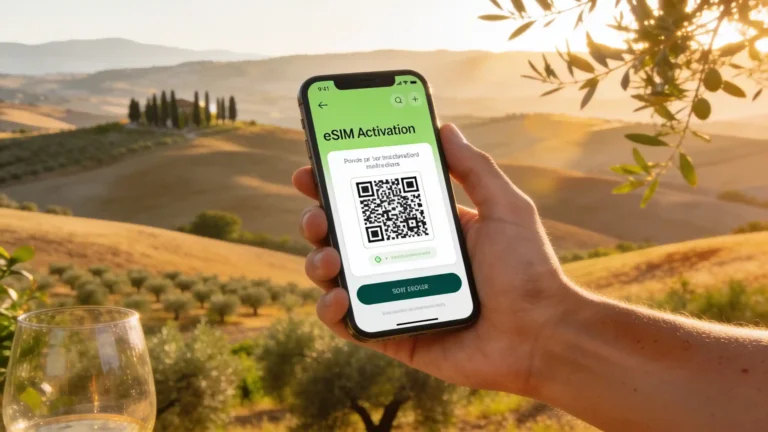
Scan the QR Code: the express method
Open the cellular data settings on your phone. Select the option to add a mobile plan. Then scan the code received by email with your camera.
Use a stable Wi-Fi connection for this step, absolutely. Downloading the profile requires a constant stream. Do not interrupt the process under any circumstances before the final confirmation.
Give a clear name to your new Italian plan. This avoids confusing it with your main French line. You will then be able to manage your data with much more clarity and efficiency.
Manual entry: the effective plan B
If the scan fails, enter the information manually. You will need the SM-DP+ address provided. Also carefully copy the activation code found in your confirmation email.
This method is your essential safety net. It works when the camera struggles with the QR code. It's a bit longer but just as technically reliable. Don't stress if the scan fails.
Above all, do never delete the profile once installed. Deletion is often permanent and irreversible. You would then have to buy a new plan to get your connection back.
Never delete an installed eSIM profile without the support team's approval; the action is permanent and often requires purchasing a new plan.
Activate your connection upon arrival in Italy
Once the plane has landed on Italian tarmac, all that's left to do is wake up your new connection. This is the moment of truth for your logistics, especially if you have planned a car rental in Maremma as soon as you exit the terminal.
Configuring cellular data upon landing
As soon as you land, switch your data line to the eSIM. Go to your cellular settings to make this change. This is the key step to avoid using your French plan.
You must absolutely activate’data roaming for this new profile. Without it, the Italian network will remain silent and inactive. This is a classic beginner's mistake to absolutely avoid. Check this specific setting carefully.
Look at your status bar at the top of the screen. You should see the name of a local operator appear. If 4G is displayed, congratulations, you are officially connected to the network.
Keep your French number via dual SIM
Keep your physical SIM active to receive your SMS. This is crucial for your bank codes or WhatsApp. You remain reachable on your usual number without any problem.
Set your phone to block data on your main line. This avoids astronomical out-of-plan charges when you return. Be vigilant on this specific point to protect your vacation budget. This is an essential safety measure.
Beware of incoming calls on your French number. They can be expensive if you answer in Italy. Prefer internet messaging apps for making your voice calls.
Manage your data in southern Tuscany
Maremma is wild, and its mobile network can sometimes be just as much, here is how to plan ahead.
Le sud de la Toscane ne ressemble pas aux centres urbains connectés en permanence. Ici, entre les collines de tuff et les forêts denses, capter un signal stable demande parfois un peu de stratégie. Pour éviter de te retrouver coincé sans GPS au milieu de nulle part, activating your eSIM before leaving for Italy : the step-by-step tutorial to avoid struggling at the airport is your best option. It allows you to arrive with an already working connection.
If you encounter difficulties once there, here is the reflexes to adopt :
- Restart the phone
- Enable/Disable airplane mode
- Check the APN settings
- Contact customer support
Don't forget to properly plan your itinerary in Maremma taking these technical realities into account. If you are planning a nature outing, also check the price of a visit to Maremma Park to adjust your data budget and visits.
Italian networks and dead zones in Maremma
La couverture est parfois capricieuse dans les tuff villages. Pitigliano ou Sorano cachent des zones sans aucun signal. Anticipate these network outages to stay worry-free.
Download your Google Maps for offline use. It's vital for navigating the isolated country roads. You will no longer depend on 4G to find your way. It's a savvy traveler's trick.
You can manually select a partner operator. If one network picks up better than another, don't hesitate. Test the different available options in your network settings.
The thick walls of agriturismos often block signals. Move closer to a window to get a stable connection. It's a simple trick that often helps indoors.
Also take advantage of local Wi-Fi when it's available. This saves your precious data plan for your outdoor travels.
Quick troubleshooting in case of a network bug
A simple restart often solves most problems. Turn your smartphone off and back on to refresh the connection. It's the first logical step of any effective troubleshooting.
Airplane mode is also an excellent quick ally. Enable it for a few seconds then disable it to force a search. Your phone will scan the surrounding antennas again.
Check your APN settings if data doesn't work. These technical settings must match your provider's instructions. A small typing error here blocks your entire internet access. Be very precise in your check.
- Restart the phone.
- Enable/Disable airplane mode.
- Check the APN settings (e.g., data.esim).
- Force manual selection (TIM or Vodafone).
- Contact customer support.
Contact customer support as a last resort via their website. They can reset your profile remotely if needed. Always keep their contact details at hand.
In case of total failure, look for a secure public Wi-Fi spot. It's a temporary backup solution but always useful.
Stay calm and patient. Technology always ends up working with a bit of method.
The eSIM turns your smartphone into the ideal travel tool for exploring Maremma without any hardware hassle. By setting up your profile before departure, you ensure a stable 4G connection as soon as you arrive in southern Tuscany. Do you prefer the speed of the QR code or the security of manual entry for your stay?.
Absolutely! Your iPhone 14 Pro is perfectly compatible with eSIM technology, being a recent Apple model. Most Apple smartphones from the iPhone XS onwards, including all newer models like yours, include this feature. To check compatibility in a foolproof way, you can dial the free code *#06# on your phone's keypad. If an EID number (Embedded Identity Document) appears on the screen, this confirms that your device is indeed equipped with an eSIM.
As for carrier locking, this is a crucial step. If your iPhone was purchased with a plan from a carrier, it may be « sim locked », meaning it is locked to only accept SIM cards (or eSIMs) from that carrier. To check if your iPhone is unlocked, go to Settings > General > About. Scroll down and look for the « Carrier Lock » line. If you read « No SIM restrictions », then your iPhone is unlocked and ready to accept an eSIM from a third-party provider for your trip to Italy. If not, you will need to contact your current carrier to request the unlocking of your device before leaving, a process that can take a few days. Make sure you have this confirmation before buying your eSIM plan for Maremma to avoid any unpleasant surprises upon arrival.
For a week in Maremma, where you plan to visit agritourism farms and go hiking, your data needs will mainly be related to GPS navigation, looking up information about places to visit, and the occasional sharing of photos on social media. In this context, a 5 GB eSIM plan should be more than enough for a week of typical tourism. This allowance will let you use Google Maps to find your way through the Tuscan hills, check the opening hours of museums or parks, and stay in touch with your loved ones without worrying about overages.
However, if you are used to watching streaming videos, taking frequent video calls, or sharing your connection with other devices (hotspot), it would be wiser to opt for a 10 to 15 GB plan. Keep in mind that Maremma, with its sometimes remote landscapes, can offer variable network coverage. It is therefore a good idea to download offline maps on Google Maps or Maps.me before you leave, especially if you plan to hike in less covered areas. This will allow you to navigate even without a signal, thus saving your precious data. Feel free to check our avis de voyageurs dans la Maremma to get an idea of the feedback on connectivity there and adjust your plan choice accordingly.
It is completely understandable to have apprehensions when installing an eSIM, especially if it is your first time. Installing the eSIM profile via QR code is generally very simple, but there are a few precautions to take. If the QR code scan fails, the first thing to check is the quality of your Wi-Fi connection. An unstable connection can prevent the profile from downloading properly. Also make sure that the brightness of the screen displaying the QR code is sufficient and that the image is sharp. If, despite these checks, the scan still does not work, do not panic! Most eSIM providers offer a manual entry option for the information. You will usually find the SM-DP+ address and an activation code in the email you received after purchase. This information can be entered directly into your phone's settings to install the profile.
As for the mistake of scanning the QR code twice, this is a tricky situation. eSIM QR codes are almost always single use. If you scan it once and then cancel the installation or the process is interrupted, the QR code may be invalidated. In this case, it is imperative to contact customer support immediately for your eSIM provider. Explain the situation to them and they can usually generate a new QR code for you or provide the necessary information for a manual installation. It is crucial not to attempt to scan the same QR code repeatedly if the first attempt failed, as this could complicate reactivation. Always keep the confirmation email with the QR code safe, or even take a screenshot of it, so you have all the information at hand if needed.
Congratulations, landing in Rome is the first step of your adventure! To make sure your eSIM connection is working properly and, above all, to avoid inadvertently using your French plan, follow these methodical steps as soon as you leave airplane mode. The first thing to do is to go to your phone's settings, then to the section dedicated to cellular data or SIM card management. There, you will need to switch your mobile data line so that it uses your new Italian eSIM. This is the key step to ensure that all internet traffic goes through this new plan.
Next, and this is a crucial point that is often forgotten, make sure to activate data roaming specifically for your eSIM profile. Without this activation, even if the profile is selected, your phone will not connect to local networks. Paradoxically, for a travel eSIM, roaming must be activated to work. On the other hand, and this is just as important, check that data roaming is disabled for your French line. This will guarantee that you do not incur exorbitant out-of-plan charges. Finally, keep an eye on your phone's status bar: you should see the name of a local Italian operator such as TIM, Vodafone or Iliad appear, along with the 4G or 5G icon, confirming that you are properly connected. If you encounter difficulties, a simple restart of your phone or toggling airplane mode on and off can often resolve initial connection issues. You will then be ready to navigate to your agriturismo in Maremma hassle-free!
Yes, absolutely! This is one of the great advantages of eSIM, especially if your smartphone is compatible with the dual SIM feature (which is the case for most recent models, notably iPhones from the iPhone XS onwards). You can perfectly keep your French number active for important calls and texts, while using your eSIM for internet data in Maremma. The principle is to configure your phone so that it uses the eSIM for all mobile data, and your physical SIM card (or another eSIM if you have one) for calls and texts from your French number.
To do this, once your eSIM is installed and activated, go to your phone's settings, then to the Cellular Data section (or Connections > SIM card manager on Android). There you will see your different lines. You can then assign the eSIM as the default line for mobile data. For calls and texts, you have two options: either you leave your French line as the default line for calls and texts (which may incur roaming charges if you receive or make calls), or — and this is the safest option — you configure your phone to ask which line to use for each call or text message. In any case, make sure to activer l'itinérance des données uniquement pour votre eSIM italienne and to disable it for your French line in order to avoid any unexpected cost. For voice calls, favor messaging apps like WhatsApp or Messenger via your eSIM’s data, which is much more economical. This way, you remain reachable on your usual number for emergencies or bank verifications, while enjoying an affordable internet connection to explore Southern Tuscany.
Maremma is indeed a magnificent region, but its wild character also means that network coverage can be unreliable, especially in remote villages or when hiking in the great outdoors. If your eSIM connection is not working, do not panic, several tips can save the day. The first and simplest is to redémarrer votre smartphone. This resets the connection and forces your device to search for a new signal. If that is not enough, turn mode avion on and then off for about ten seconds. This manipulation has a similar effect to restarting by forcing a new search for available networks.
If the problem persists, manually check the operator selection in your phone’s settings (usually under Réglages > Données cellulaires > Sélection du réseau). Essayez de sélectionner un autre opérateur italien tel que TIM or Vodafone, as some may have better coverage in certain areas. Finally, and this is a crucial tip for Maremma, téléchargez votre Google Maps or Maps.me maps for offline use before setting off to explore. This will guarantee that you can find your way even with no signal at all. If you are in an agriturismo with thick walls, try moving closer to a window or going outside to catch a better signal. As a last resort, if you still have connection problems with your eSIM, contact your provider’s service client. They can check whether your profile is properly activated or help you adjust the paramètres APN (Access Point Name), which can sometimes be the cause of a lack of data connection. Also remember to take advantage of the Wi-Fi local of accommodations or cafés to save your data and plan your next steps in this magnificent region. Don’t forget that manger en Maremma sans se ruiner is also a matter of good preparation!
Around this article


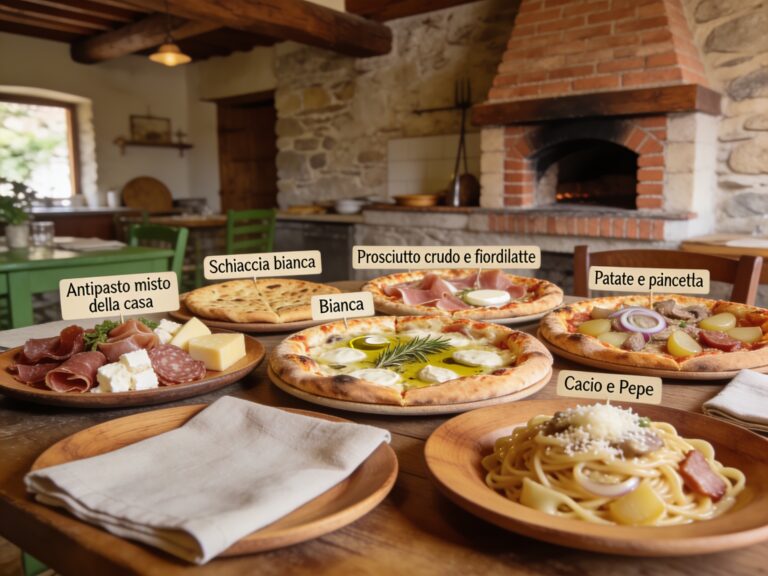





Maremma culinary workshop: wild herb foraging, tagliatelle class
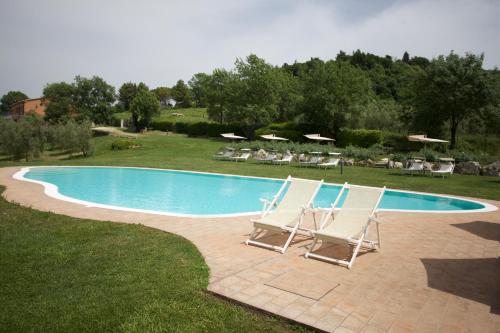




Is the map not displaying? See accommodations on Stay22
Map and prices provided by Stay22: Toscane Cachée may receive a commission on bookings.
You will also like

Do you really need a car to visit Maremma? (The honest answer)
Discover how to visit Maremma without a car. Use the Pisa-Rome train and the buses…

Tuscan Maremma by car: road map, distances and tips for getting around in 2026
Explore the Tuscan Maremma by car: avoid ZTL zones, choose an SUV…

Southern Tuscany road trip: the itinerary no one offers you (and the best one)
Prepare your road trip in Maremma: avoid the ZTLs, explore Pitigliano and the…

Succeed in your Maremma car rental without pitfalls
Rent your car in Maremma to explore the tuff villages and the beaches.…